

Deployment
Connect Tencent Cloud capabilities to deliver to the target environment with one click.
CodeBuddy provides multiple deployment entrances to help you gradually deliver projects from development preview and team integration to online environments. You can choose the appropriate deployment method based on the form of your project deliverables (static site, server-side application, Serverless application, etc.). All entrances support completing the connection, configuration, and publishing processes within CodeBuddy, reducing repetitive configuration costs.
Quick Selection
| Deployment Method | Suitable Scenario | Core Features |
|---|---|---|
| EdgeOne Pages | Pure static website/Frontend app | Global CDN acceleration, automatic build |
| CloudBase | Frontend + Cloud Development integration | Integrated backend capabilities, environment isolation |
| Cloud Studio | Temporary preview/Quick demo | Instant preview, no domain required |
| Tencent Lighthouse | Full-stack app/Custom service | Complete server control |
Deployment Entrances
EdgeOne Pages
- Applicable: Pure static websites and frontend applications
- Usage: Publish build artifacts as accessible websites (e.g., documentation sites, official websites, frontend SPAs)
- Typical Scenarios: Personal blogs, corporate websites, SPA single-page applications, marketing landing pages
- Features: Global CDN edge node acceleration, automatic CI/CD, free HTTPS and automatic certificate management
CloudBase
- Applicable: Projects integrating frontend and cloud development
- Usage: Deploy applications and interfaces in a hosted and serverless manner, supporting seamless integration with CloudBase databases/cloud functions
- Typical Scenarios: Applications requiring user authentication and databases, integrated frontend and backend development, lightweight backends and function interfaces
- Features: Environment isolation (Dev/Test/Prod), built-in CDN acceleration, secure domain configuration
Cloud Studio
- Applicable: Development phase preview and integration
- Usage: Run projects in a cloud development environment to quickly obtain an accessible preview address
- Typical Scenarios: Prototype validation, quick demonstration to clients, internal test preview, temporary sharing links
- Features: Instant deployment, no domain configuration required; temporary links, not suitable for production environments
Tencent Lighthouse
- Applicable: Service deployment requiring a full runtime environment
- Usage: Deliver applications to lightweight cloud server environments, suitable for scenarios requiring system-level dependencies or persistent services
- Typical Scenarios: Backend services, full-stack applications, Next.js SSR (Server-Side Rendering), custom server configurations
- Features: Complete cloud server control, supports any backend language, can run databases and services like Nginx
Selection Guide
Choose a deployment entrance based on the form of your deliverables:
- If your project is pure frontend static resources (HTML/CSS/JS), EdgeOne Pages is recommended.
- If your project has integrated CloudBase Database/Auth, or needs frontend-backend integration capabilities, CloudBase is recommended.
- If you need to quickly show it to others and do not need long-term access, use Cloud Studio for temporary preview.
- If you need complete server control, or need to run non-static backend services, choose Tencent Lighthouse. Or ask CodeBuddy for intelligent suggestions.
You can also choose the appropriate deployment method based on team habits and actual project conditions.
Cloud Studio
Cloud Studio provides one-click deployment capabilities, allowing applications to be quickly published to a cloud sandbox environment, generating a shareable access link for immediate team trial and feedback.
Deployment Process
Click Cloud Studio to trigger Deploy.
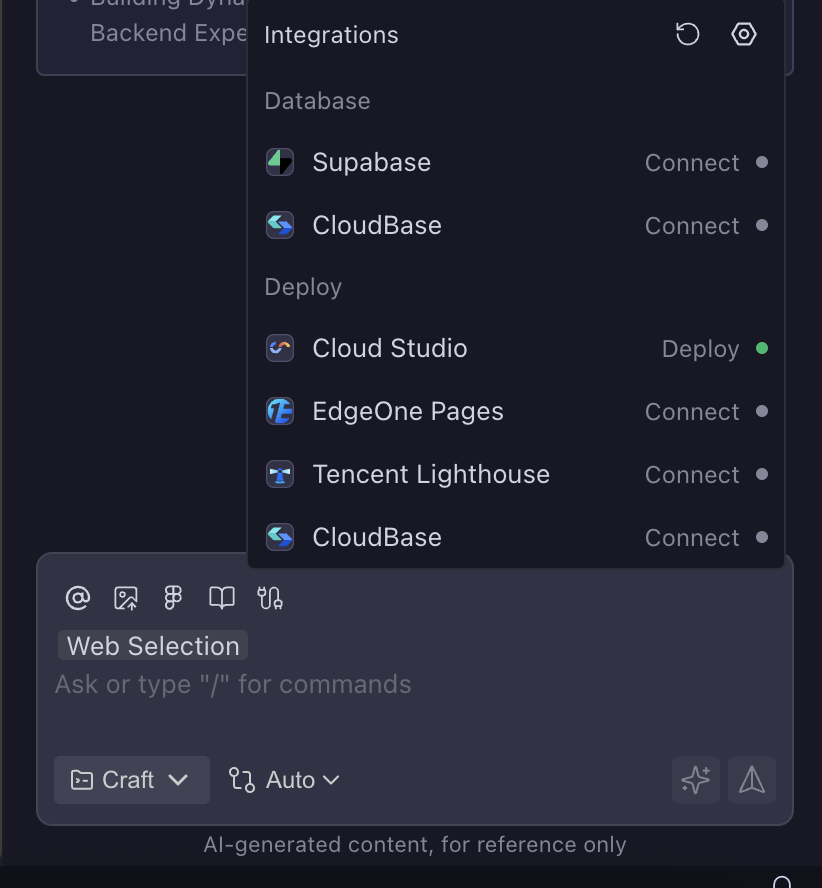
The Agent will first scan the entire codebase, analyze the project type, and choose to use the Cloud Studio sandbox environment for deployment.
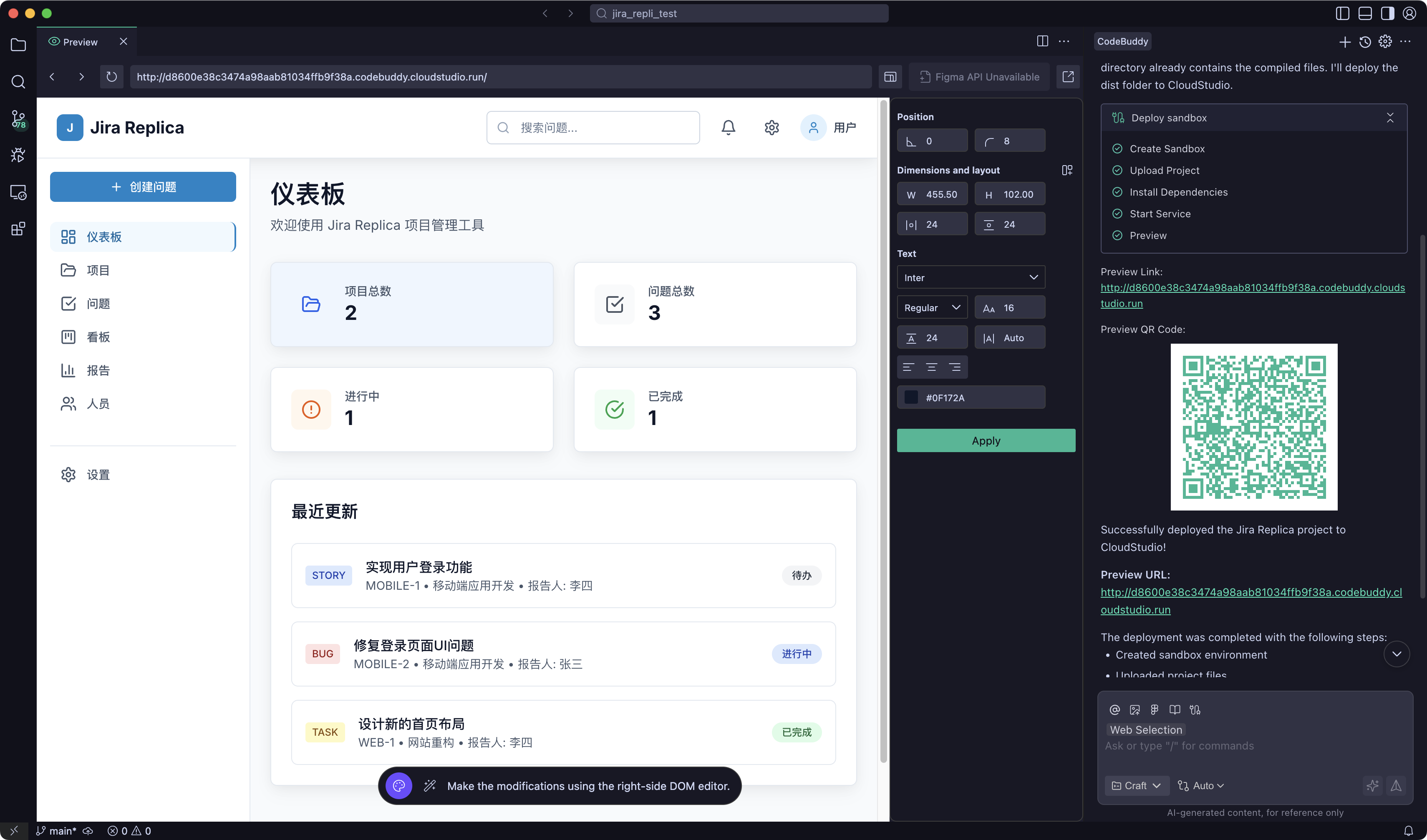
Deployment Result
After successful deployment, a publicly accessible temporary address is generated.
EdgeOne Pages
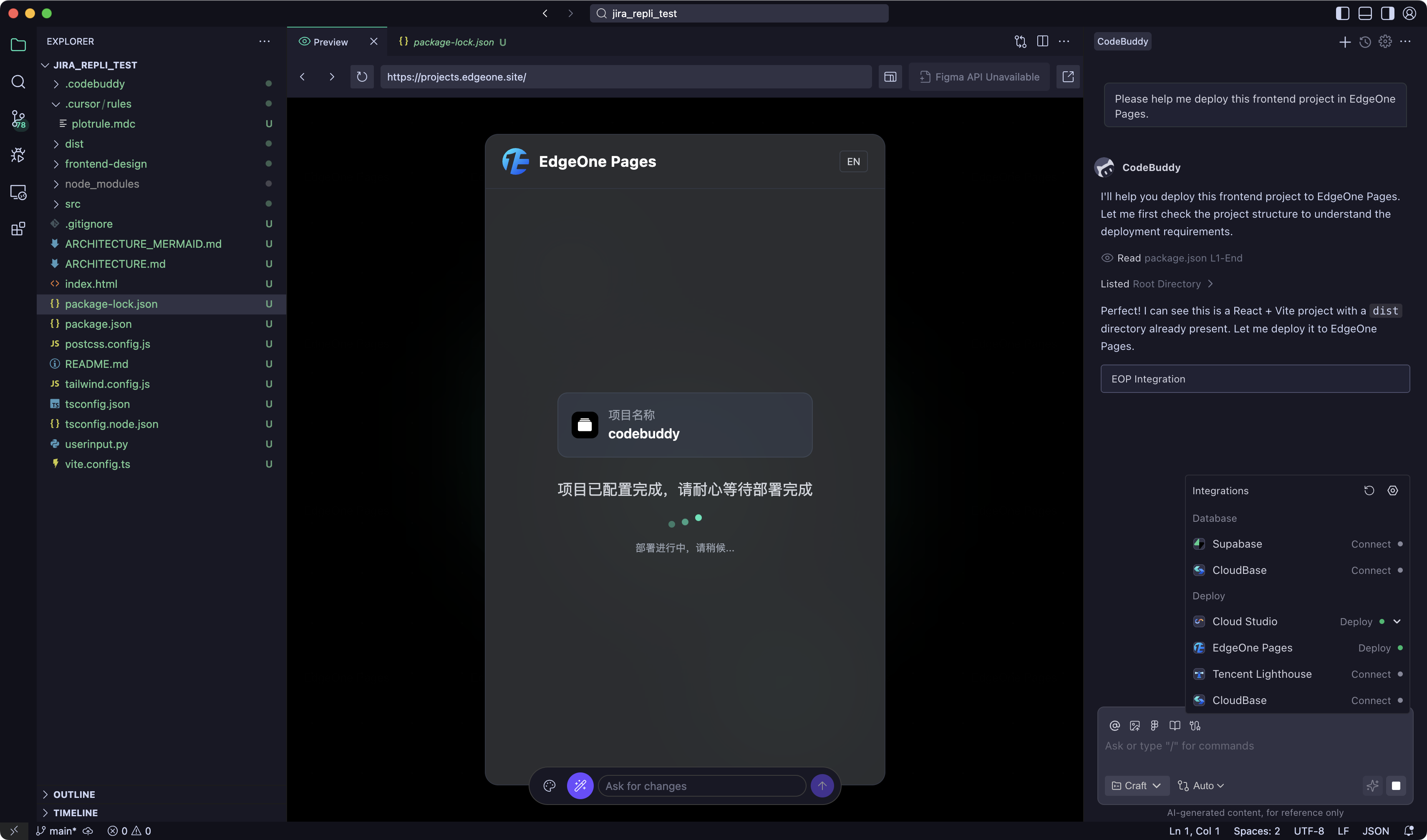
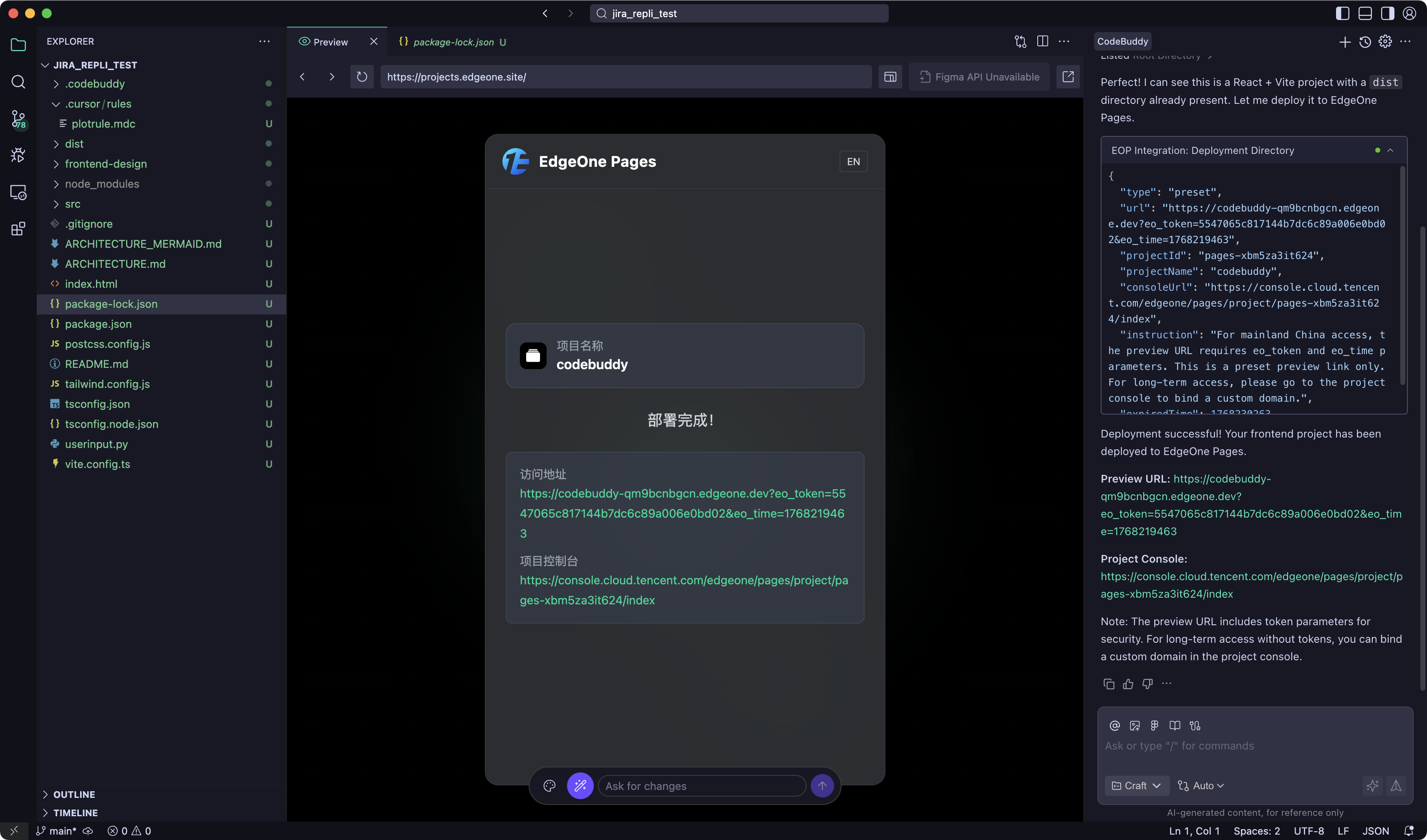
EdgeOne Pages is an efficient production-grade site deployment platform capable of quickly building and publishing static sites and Serverless applications, achieving rapid delivery from code to online services.
Applicable Scenarios
- Official website publishing facing the public
- Production environments requiring stability and high performance
- Static sites requiring CDN acceleration
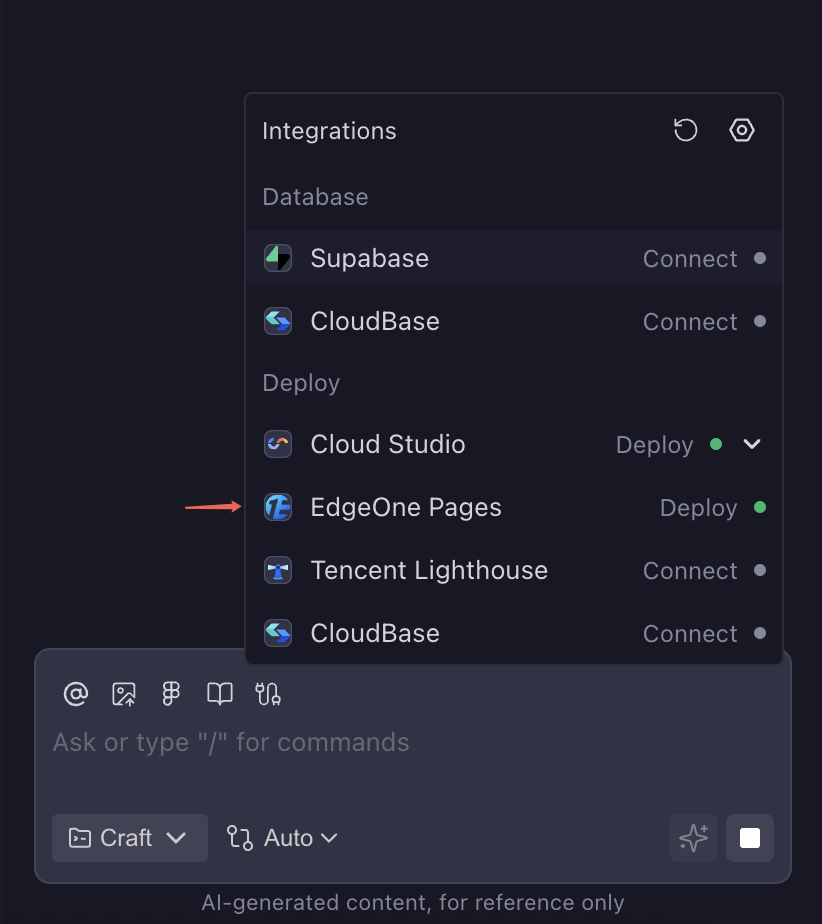
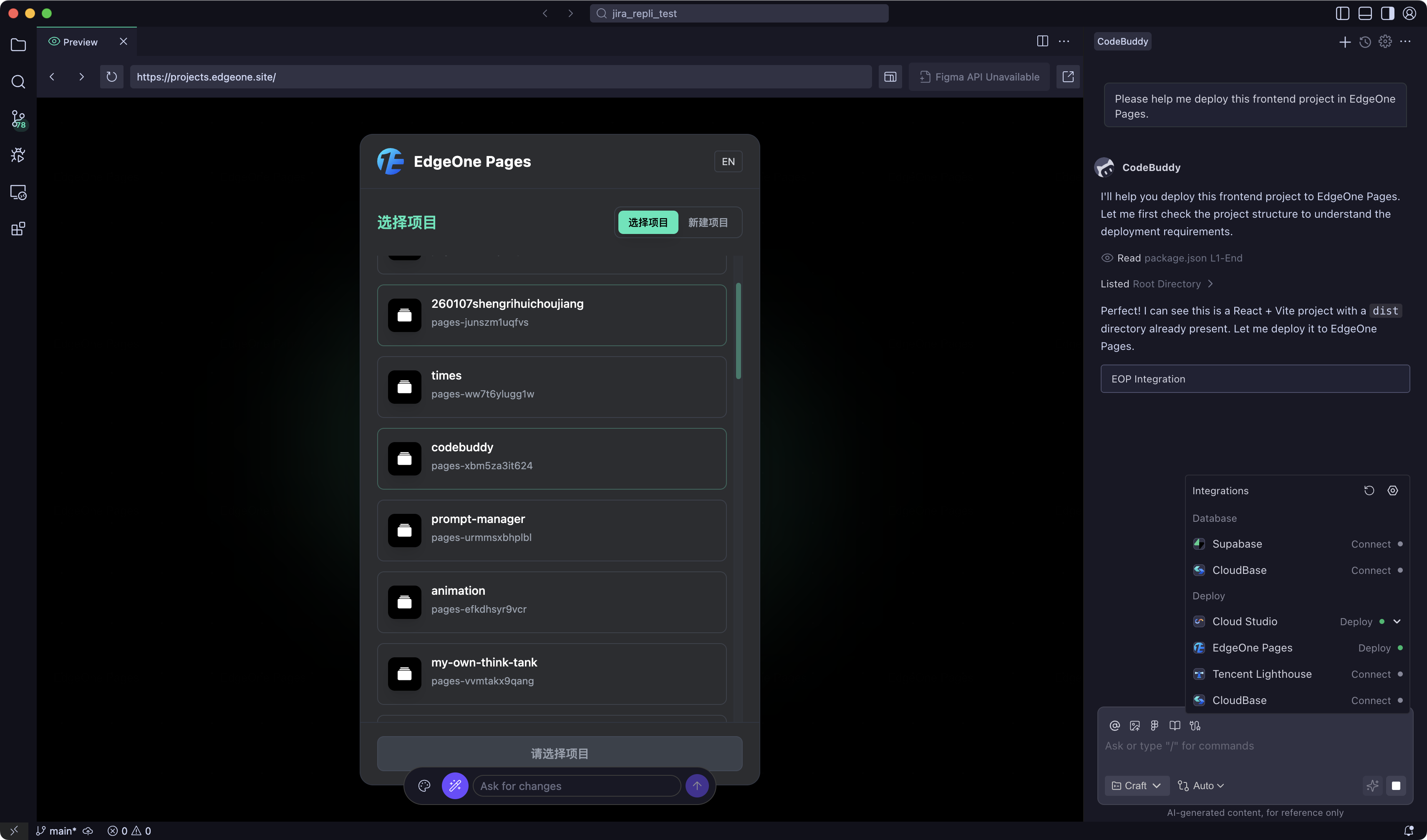
Deployment Process
FAQ
What if deployment fails?
Please check the following points:
- Whether there are syntax errors in the project code
- Whether dependencies are correctly installed
- Check error information in the deployment logs
How long is the temporary address valid?
The temporary address generated by Cloud Studio has a certain validity period limitation. If long-term usage is needed, it is recommended to use EdgeOne Pages for formal deployment.
How to update the deployed application?
After modifying the code, re-triggering the deployment will automatically update it.