

Memory
What is Memory
The Memory feature allows the AI Agent to automatically remember your preferences, habits, and important information based on your conversations, providing personalized assistance across different sessions.
Like your personal assistant, the AI will remember:
- Your coding style and preferences
- Project tech stack and architecture
- Commonly used tools and commands
- Important notes you've mentioned
How to Use Memory
Creating Memory
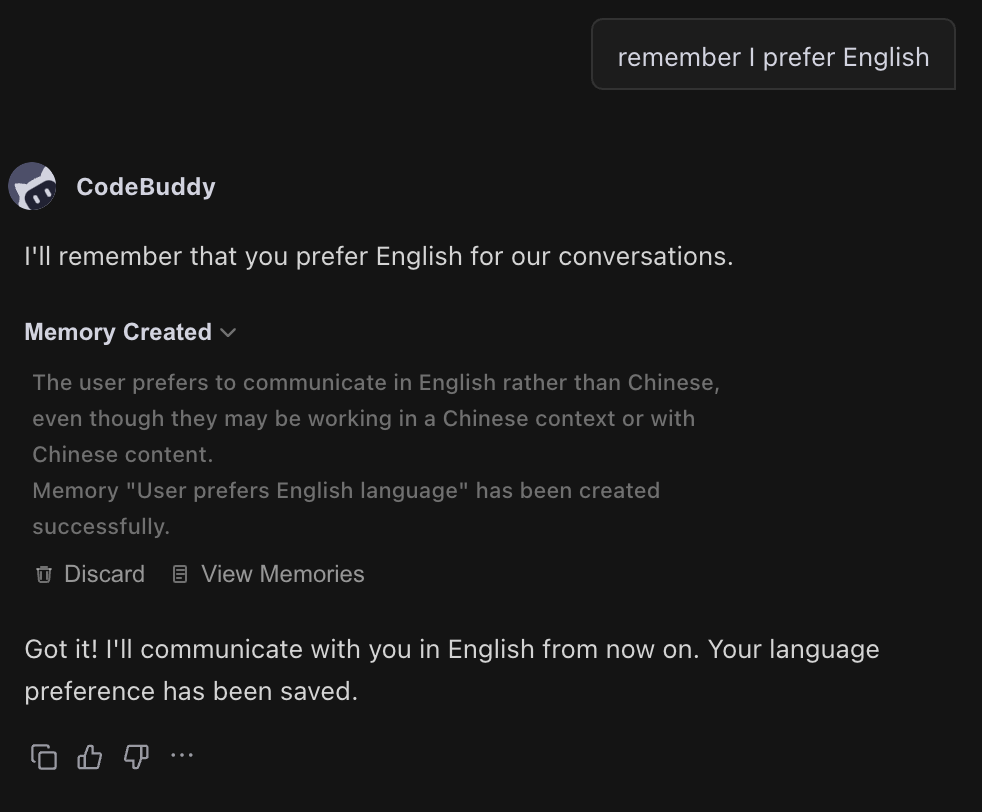
CodeBuddy will automatically identify and store your important information. Of course, when you want to emphasize something for the AI to remember, just tell it directly:
Please remember: I prefer using TypeScript for development, following Airbnb code style guidelinesRemember that I like answers in ChineseThe AI will automatically save this information as memory and use it in future conversations.
Updating Memory
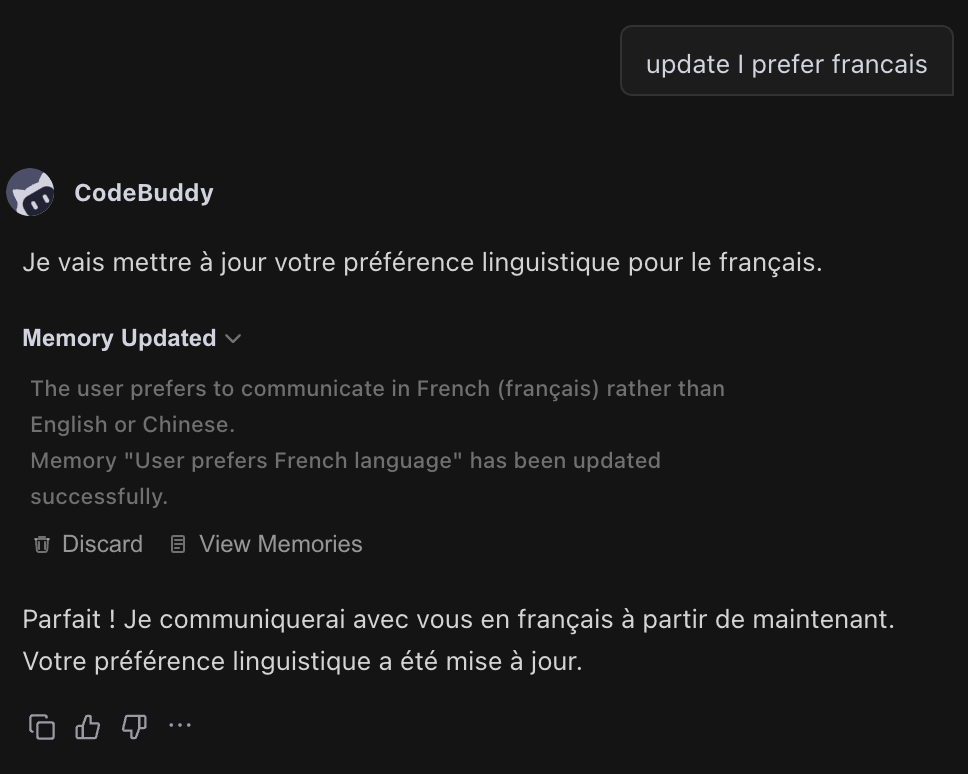
If your preferences or information changes, just tell the AI the new content:
Update my memory, I prefer answers in EnglishThe AI will automatically update the relevant memory.
Deleting Memory
If a memory is no longer needed, you can request its deletion:
Delete the memory about my preference for English answers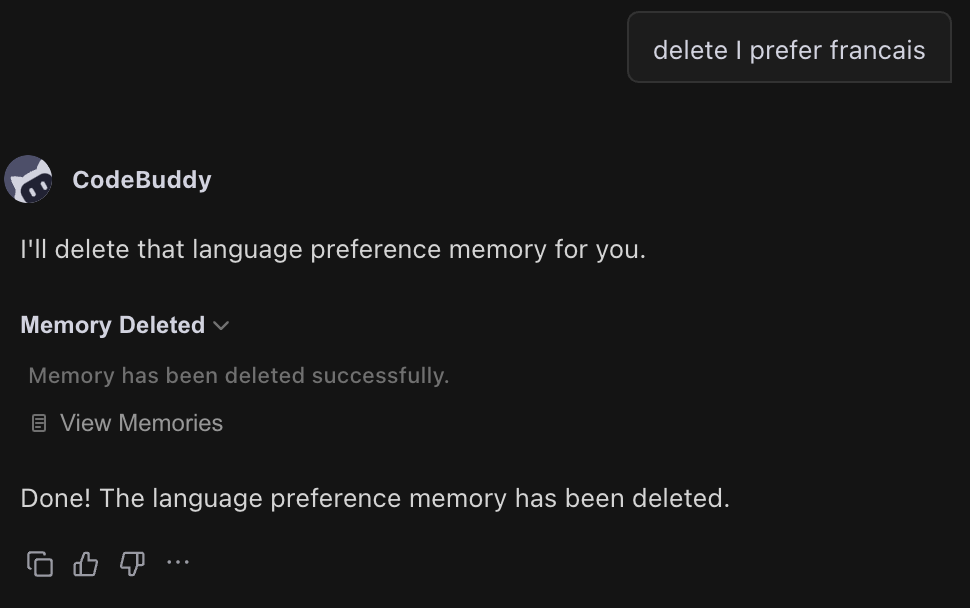
Memory Scope
Memory works across all projects and conversations, ensuring the AI always understands your preferences.
Viewing and Managing Memory
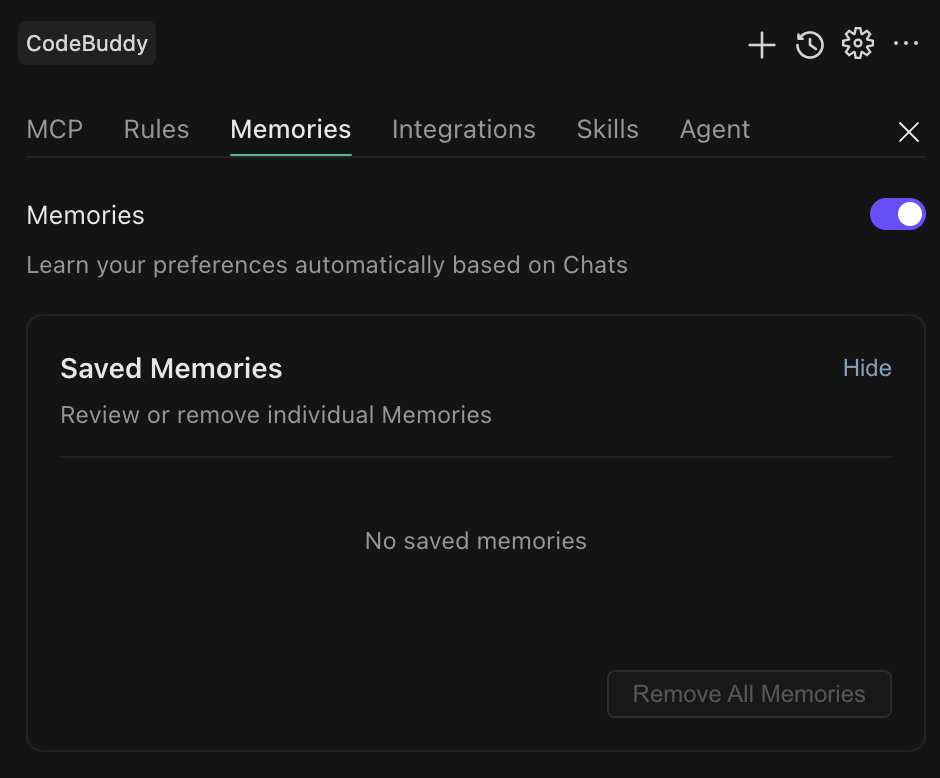
If you temporarily don't want to use the memory feature, you can turn off the memory toggle to disable it globally.
Frequently Asked Questions
Q: What's the difference between Memory and Rules?
Memory consists of facts and preferences the AI remembers ("I like using TypeScript"), created through conversation and automatically managed by the AI. Rules are behavioral guidelines you set ("Code must have comments"), which require manually creating configuration files.
Q: Can memory be shared across different projects?
Yes, memory is global and works across all projects.
Q: Is there a limit on the number of memories?
There's no quantity limit, but it's recommended to keep it within a reasonable range (typically 10-20) to avoid consuming too many tokens.
Q: When will the AI use memory?
The AI loads your memory at the start of each conversation and automatically considers this information when generating responses. You don't need to manually remind it.