

CodeBuddy WeChat ClawBot Integration Guide
This guide will help you integrate CodeBuddy with WeChat through the "WeChat ClawBot Integration" feature. Once linked, you can send tasks directly from WeChat to CodeBuddy running on your computer and receive the execution results.
Prerequisites
Before you begin, make sure you meet the following requirements:
- CodeBuddy IDE is installed and you are logged in on your computer
- WeChat >= 8.0.70 is installed and logged in on your phone
TIP
WeChat ClawBot integration does not require any developer credentials such as App ID or App Secret. Simply scan a QR code to complete the setup.
Configure WeChat ClawBot Integration
1. Open Claw Settings
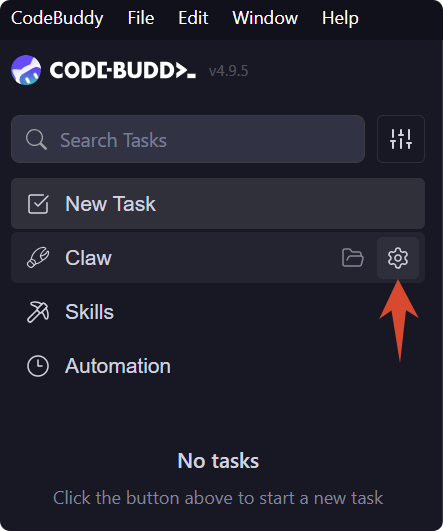
- Open the CodeBuddy Agent workspace
- Click the gear icon in the Claw panel on the left side to open "Claw Settings"
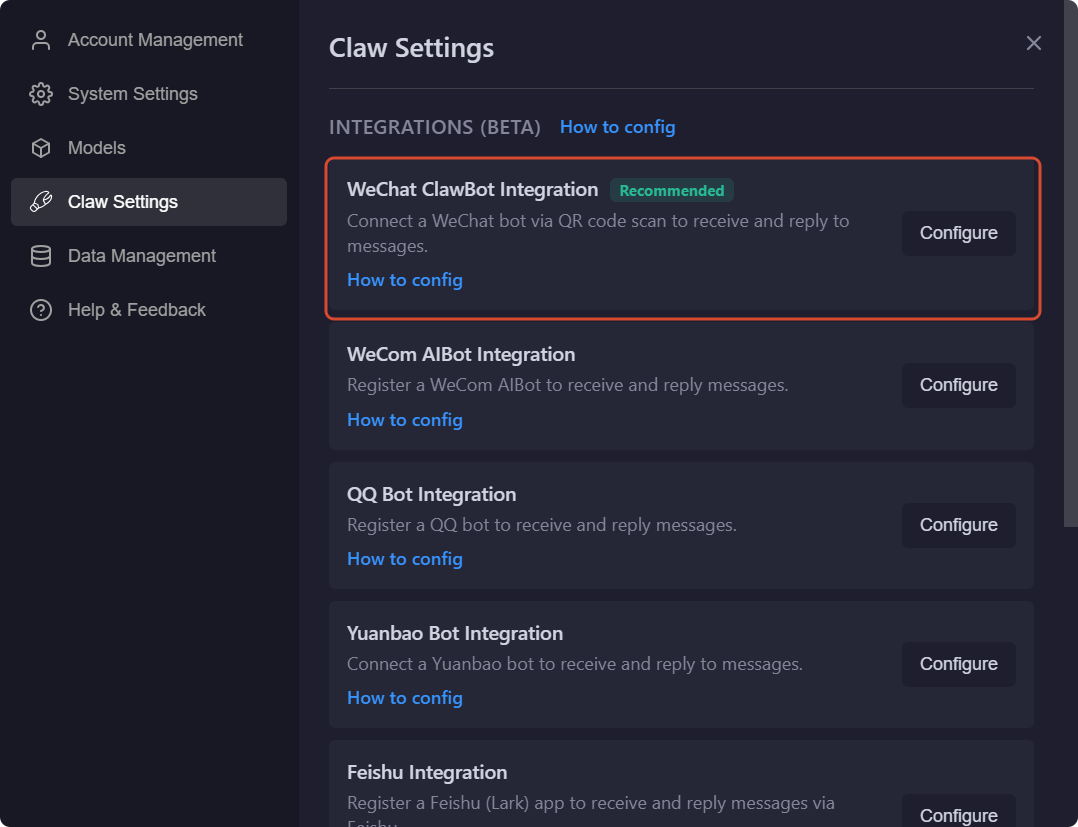
- Find "WeChat ClawBot Integration" in the integration list
- Click the "Configure" button on the right
2. Wait for QR Code Generation
After clicking "Configure", the button will briefly display "Linking...". CodeBuddy is generating a QR code for the binding process.
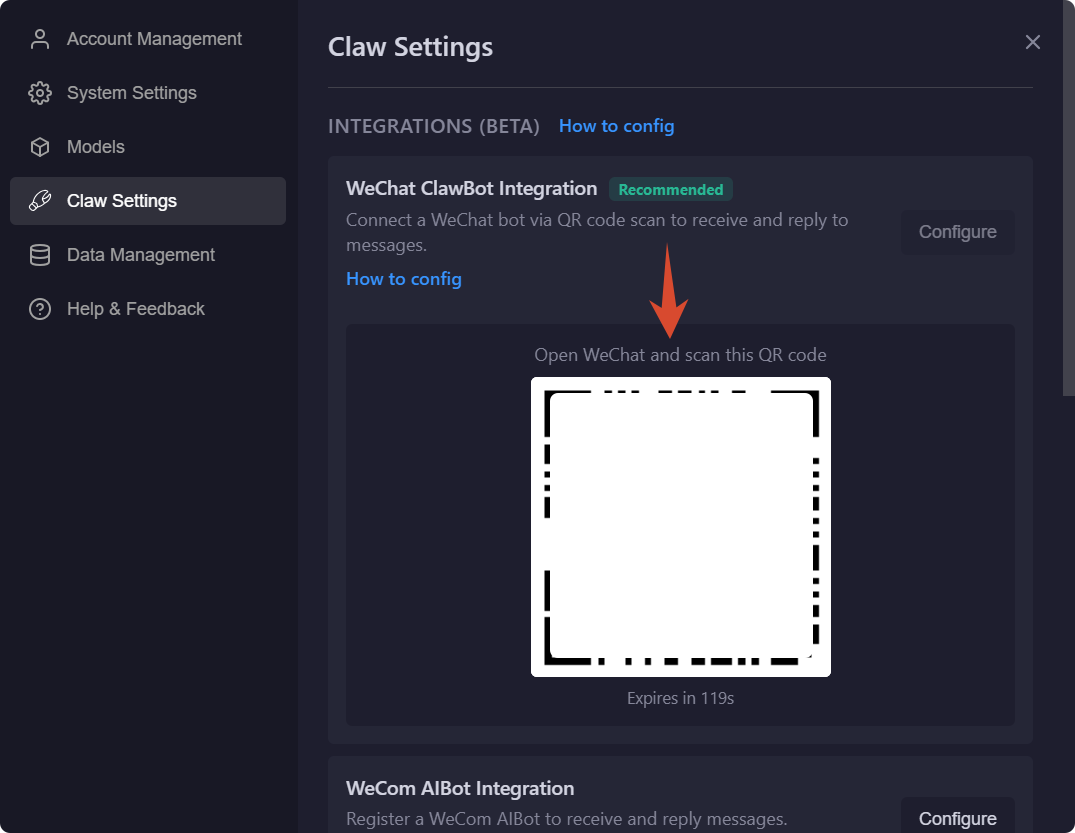
3. Scan the QR Code with WeChat
Once the QR code is generated, it will appear directly below the card. Open WeChat on your phone and scan the QR code to complete the binding.
Note
The QR code has a time limit. If it expires or the scan fails, click "Configure" again to generate a new QR code.
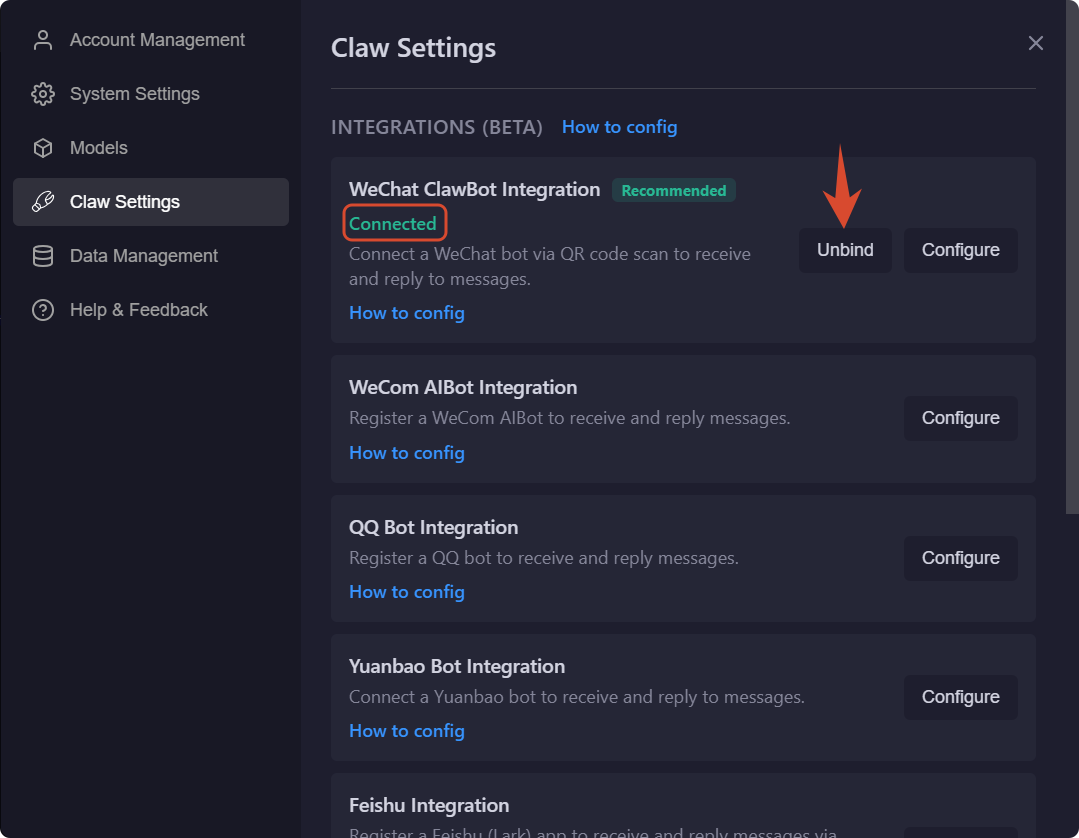
4. Confirm Successful Binding
After scanning, the card status will change to "Connected". If you need to switch accounts later, click "Unbind" and then rebind with a new account.
Getting Started
Once the binding is complete, you can chat directly with CodeBuddy from WeChat. For example:
- Summarize the latest meeting notes on my desktop today
- Check if there are any obvious issues with the recently modified APIs in this project
- Generate a login page prototype for me
CodeBuddy will automatically execute tasks on your computer and sync the execution process and final results back to your WeChat chat window.
TIP
If you can already receive CodeBuddy's execution results in WeChat, it means the WeChat ClawBot integration is complete.
When a WeChat message arrives, CodeBuddy will automatically switch to the Claw tab and load the corresponding session — no manual switching needed.
FAQ
Q: What should I do if the page is stuck on "Linking..."?
- Make sure CodeBuddy is running on your computer and the network connection is stable
- Close the current configuration window and re-enter "WeChat ClawBot Integration"
- If the issue persists, restart CodeBuddy and try binding again
Q: What should I do if it doesn't show as bound after scanning?
- Confirm that you scanned the QR code with the WeChat account you intend to bind
- Wait a few seconds for the binding status to sync
- If the QR code has expired, click "Retry" to generate a new one and scan again
Q: What should I do if WeChat messages get no response?
- Make sure CodeBuddy is still running on your computer and the Claw service is not shut down
- Go back to "Claw Settings" and check if the WeChat ClawBot integration status still shows "Bound"
- If necessary, unbind first and then scan the QR code again to rebind